OctoStudio Explorations
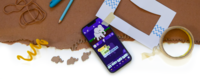
Join us in exploring different ways to combine code with everyday materials as tools for creative expression! The Tinkering Studio is a Key Collaborator with the Lifelong Kindergarten Group at the MIT Media Lab, creators of a free coding application for mobile devices called OctoStudio. Learn more and download OctoStudio ➜
We're using this page to create a growing collection of ideas for tinkering with OctoStudio. Some of these are full-fledged projects; others are little sparks that we hope will ignite your own explorations for what's possible when you look creatively at code!


Play with Patterns
Play with patterns in shapes, sounds, and sprites! OctoStudio lets you easily duplicate characters and code, explore turning and movement, and import photos to the app. Consider taking your explorations outside to investigate patterns in plants and petals. More ideas for ways to Play with Patterns ➜
Bring a Book to Life
Start with a story! Books can serve as inspiring launching points for OctoStudio explorations. Look for books that have interesting shapes, patterns, and characters to bring to life with code. One of our favorite books to pair with OctoStudio is Press Here by Hervé Tullet — the perfect story to pair with a project that's activated by a tap! Download this starter project and remix it to make your own Press Here project. The book is available in many different languages, including Spanish and French.
Making Faces
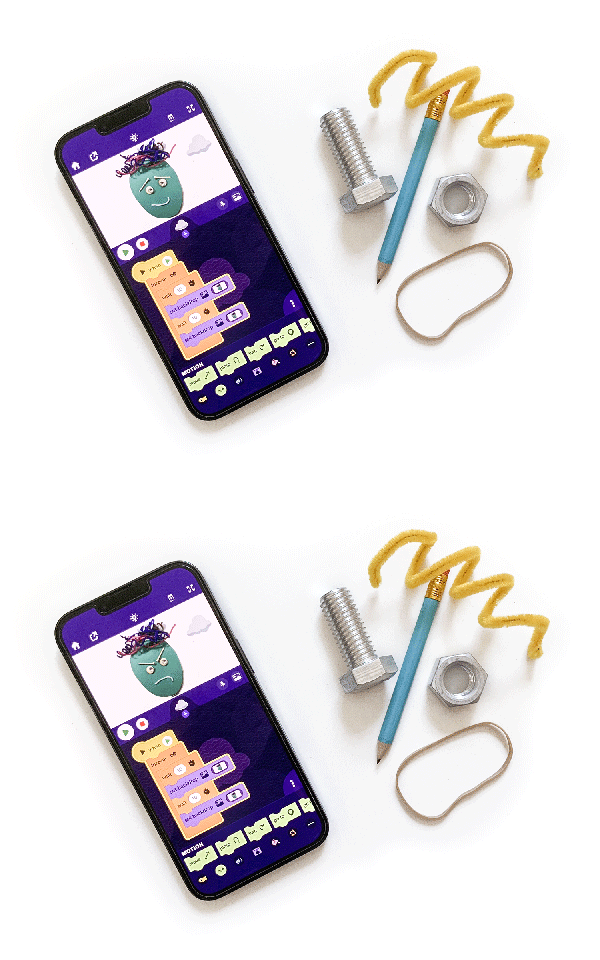
Make portraits by arranging and rearranging everyday objects to share something about yourself or someone you care about. Start with the analog version of Making Faces, then use OctoStudio to add movement, tell stories, and bring in meaningful or imaginary objects beyond the materials in front of you. More ideas for Making Faces ➜
Hack a Magazine
What treasures, stories, and surprises are hiding in the pages of magazines? Take a magazine and combine it with OctoStudio to create something magical. Embed your device inside a magazine to bring static pages to life.
More ideas for how to Hack a Magazine ➜

OctoJam Session
Combining code with sound explorations? That’s music to our ears! Record your own sounds within the app and build instruments that take advantage of OctoStudio’s inputs, like shake or tilt. Combine your coded sound-maker with friends or family to jam together. Learn about Luigi's process for coding his own Pandeiro and download his project to make your own remix! And check out this collaborative example to inspire your own OctoJam session.
Tinker with a View
Use cardboard, code, and your imagination to share what you see! Create a frame and use the OctoStudio app to code an interactive scene or story that shares a window into your world. Use the on tap, on shake, and on tilt coding blocks to activate different elements of your scene. You might make a window frame and share what you see when you peek inside, or think about different kinds of views. Is your window a portal? A skylight? A porthole? This project is inspired by Eduard Muntaner Perich's "Hack Your Window" project and prompt idea.
More ideas for Tinker with a View ➜
Shadow Remix
Share what you see in a shadow! In this exploration, create a shadow as a jumping off point and then use OctoStudio to bring it to life with code. Use sprites and the coding blocks to share what shapes and stories you see. You can even use the flashlight block to turn on your device’s flashlight and cast a shadow on command!
Building on the analog version of Shadow Remix, code expands the opportunities for creative expression by making it possible to add movement, tell stories, and easily share shadows with friends, classmates, or family members. More ideas for Shadow Remix ➜
Chain Reaction
Explore inputs and outputs to create a cause-and-effect contraption! Check out our Chain Reaction project page, and consider how code can take your machines even further. We’re still exploring what kinds of physical phone holders, sensors, and other components can support code + chain reaction explorations.
In this example, the phone begins to vibrate when the play button is pressed. The vibration causes the phone to slide slowly down the ramp towards a magnetic sheet. Once the phone hits the magnet, it plays a recorded sound of clapping. The two claps trigger the clap light outlet, which turns on the fan and makes the jellyfish dance!

This project is generously supported by the National Science Foundation under Grant No. 2005764.